
A creative LED display demonstration is more useful when everyone knows what the buyer is trying to decide. Before reviewing a sample or attending a showroom presentation, prepare a short brief connecting the proposed display with its intended content, audience and installation conditions.
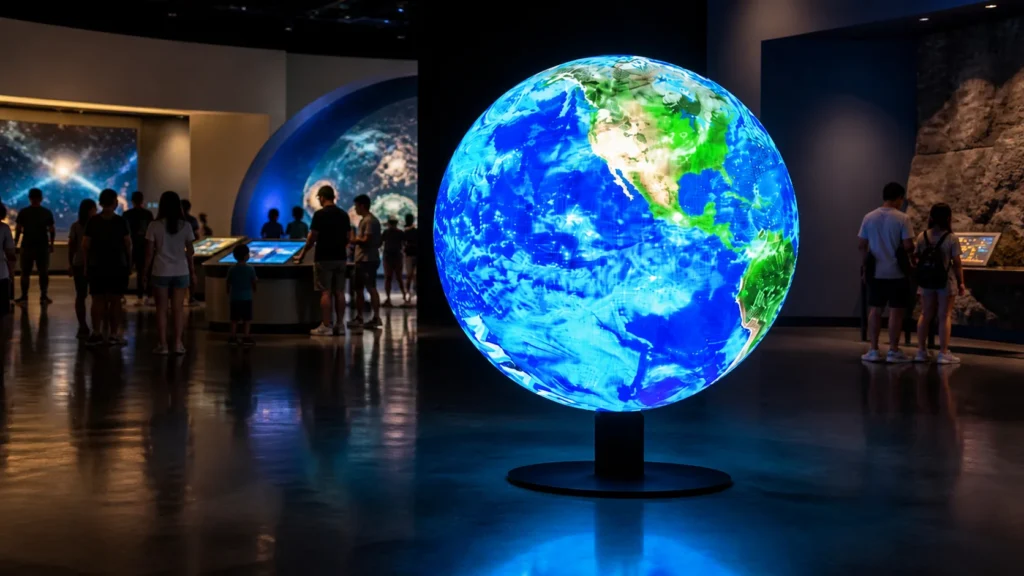
The aim is to record what the demonstration establishes and which questions still need an answer for the offered configuration. This guide helps purchasers organize that review. The accompanying image illustrates a creative display format; it does not document a sample test or customer installation.
Start with the purchase decision
Write down the questions that could change the specification or buying decision. These might concern the readability of approved content, how a shaped surface presents a logo, the proposed control workflow or the practical service arrangement.
Give the supplier the project brief and ask which questions can be addressed by the available demonstration. Identify who should attend from the buyer’s side, including the person responsible for content and the installer where relevant. Keep a list of decisions that require a site review or specialist assessment instead.
Agree how observations will be recorded. A review sheet with the question, demonstration conditions, observation and follow-up owner makes the result easier to use than a general impression that the display looked good.
Identify the equipment being demonstrated
Ask for the model and configuration of the sample or demonstration system, including the controller and playback source where relevant. Compare that information with the current quotation. Record differences that could affect the questions under review.
For a shaped product such as an LED sphere display, establish the demonstrated dimensions, surface arrangement and content mapping. Ask the supplier to explain which aspects represent the proposed project and which require separate confirmation.
A component sample, a complete showroom display and a remotely recorded video provide different evidence. Identify what is actually being reviewed, and request supporting information for claims that the demonstration itself cannot establish. Do not assume that all equipment sharing a product-family name has an identical configuration.
Prepare content that answers your questions
Ask for the file requirements of the demonstration system before sending artwork. Provide approved representative material, such as the intended logo, text layout and video sequence, together with the question each file is meant to address. Keep a record of the exact versions used.
For shaped surfaces, agree the template, orientation and reference viewpoint with the content team. The can-shaped display content brief describes related questions about layout and viewing direction. Use the requirements of the actual demonstration system for the final exports.
Ask to review the full sequence relevant to the application rather than only a promotional clip. If a function such as scheduling or remote content transfer matters to the purchase, establish whether it is included in the offered system and arrange a specific demonstration of that function.
Record the viewing conditions
Note where reviewers stand, the viewing direction and the surrounding lighting conditions. Where the final venue differs from the demonstration space, record that difference and ask how it will be resolved in the project review.
Review the intended content from the audience positions that the demonstration allows. Record concrete observations: which text was readable, whether an important graphic remained in view and whether the sequence conveyed the intended message. Keep the content version and viewing position alongside each observation.
For a remote presentation, ask the supplier to distinguish camera footage from what a person sees directly. Camera settings and the recording chain can affect the recorded appearance. If filming is part of your application, plan a dedicated check using the event camera test checklist and the intended camera workflow.
Review operation and service questions separately
Ask the operator to show the normal content-loading and playback process using the documented controls. Identify who would perform those tasks at your venue and which instructions or training are included in the proposed scope.
Request an explanation of the intended service method for the offered configuration. Establish the access requirements and who is responsible for maintenance work. Any physical inspection or service demonstration should be carried out by the responsible personnel following the equipment’s procedures.
Use the cabinet procurement and handover guide to organize questions about equipment identifiers, configuration records and spare parts. A visual content demonstration does not settle those procurement details by itself.
Turn the observations into a decision record
After the review, separate answered questions from open items. For each open item, identify the evidence needed and the party responsible for providing it. Request an updated drawing, specification or scope statement when the proposed configuration changes.
Keep demonstration acceptance separate from final project acceptance. Agree the tests and documentation required for the actual delivered system in the project terms. Confirm any sample charges, return arrangements, support provisions or other commercial conditions in writing rather than assuming a common policy.
Retain the review sheet with the quotation revision, demonstrated equipment details and content files. That record gives the buyer, supplier and installer a shared basis for the next decision.
Send JIAMI TV your project brief and demonstration questions to discuss an appropriate review of the proposed creative LED display configuration.